
How texting opt-in works
This page shows how people opt in to The Fly Pelican / Peliroost demo texts on the Peliroost check-in kiosk and the web check-in page. The demo uses a sample barbershop, Coastline Cuts.
The flow
- The client enters their mobile number to check in.
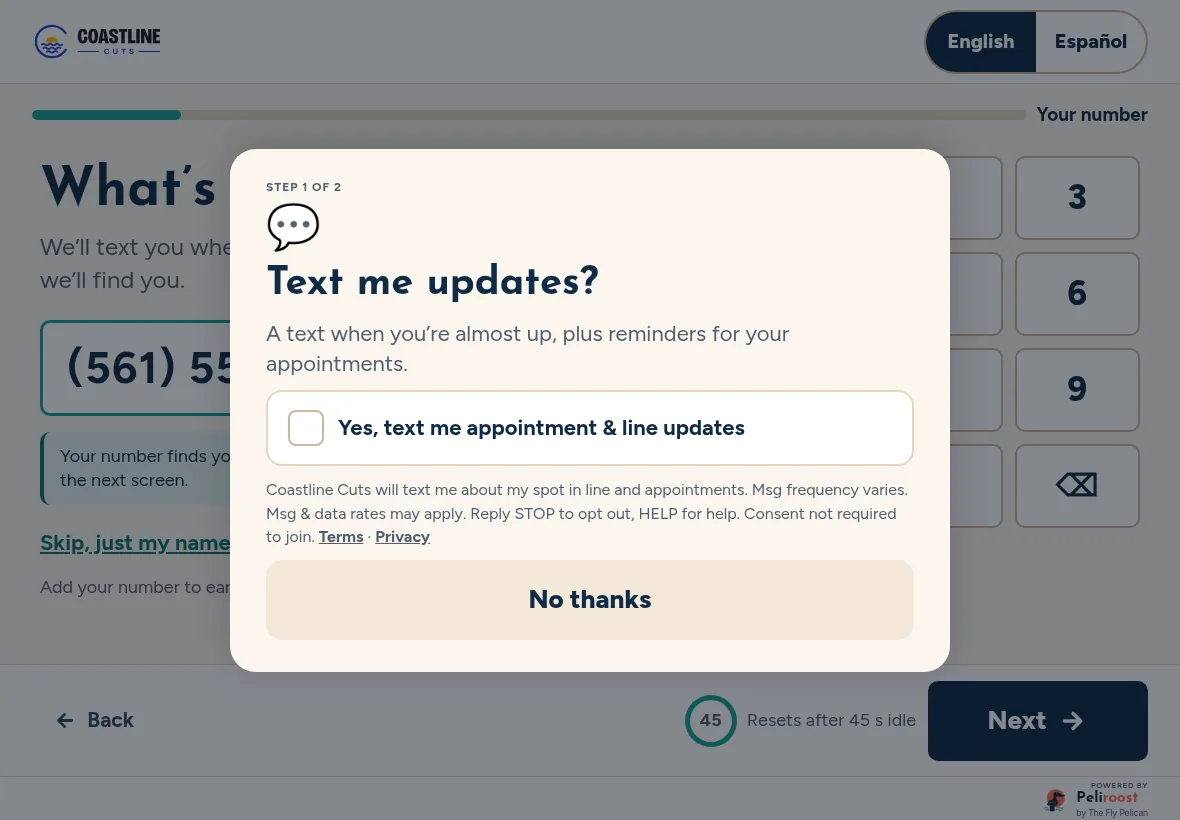
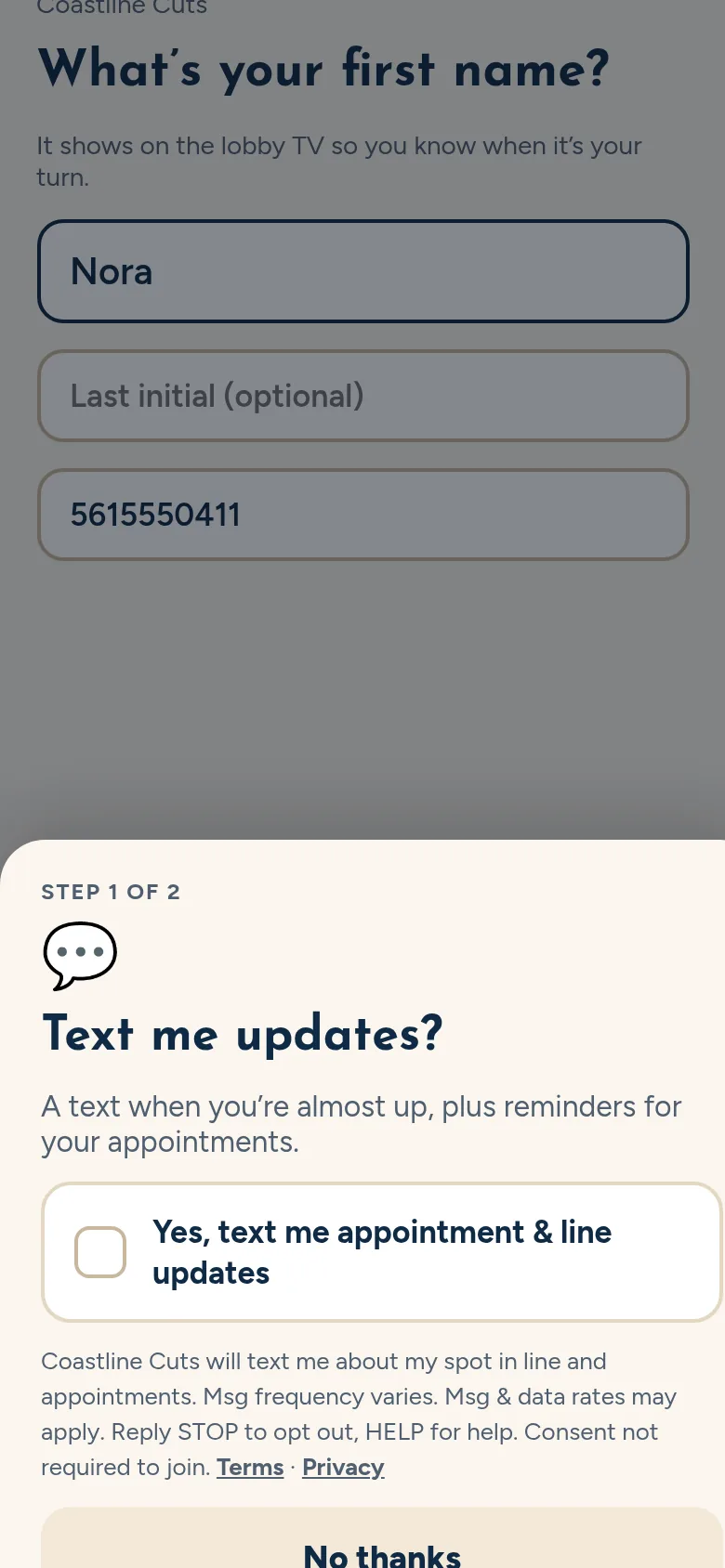
- Screen 1 of 2: appointment and line updates. An optional checkbox, unchecked by default, with the full disclosure beside it: who is texting, what about, “Msg frequency varies. Msg & data rates may apply. Reply STOP to opt out, HELP for help,” that consent isn’t required to join, and links to our terms and privacy policy. “No thanks” skips it.
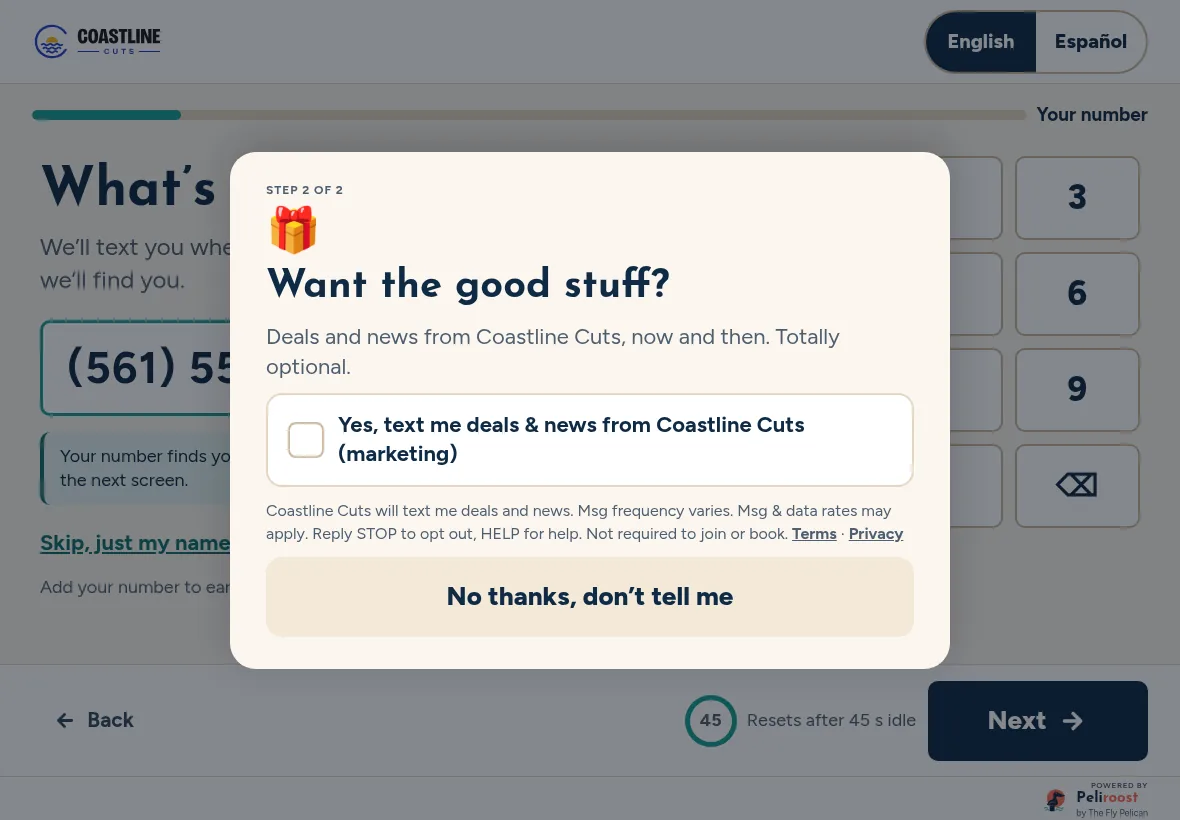
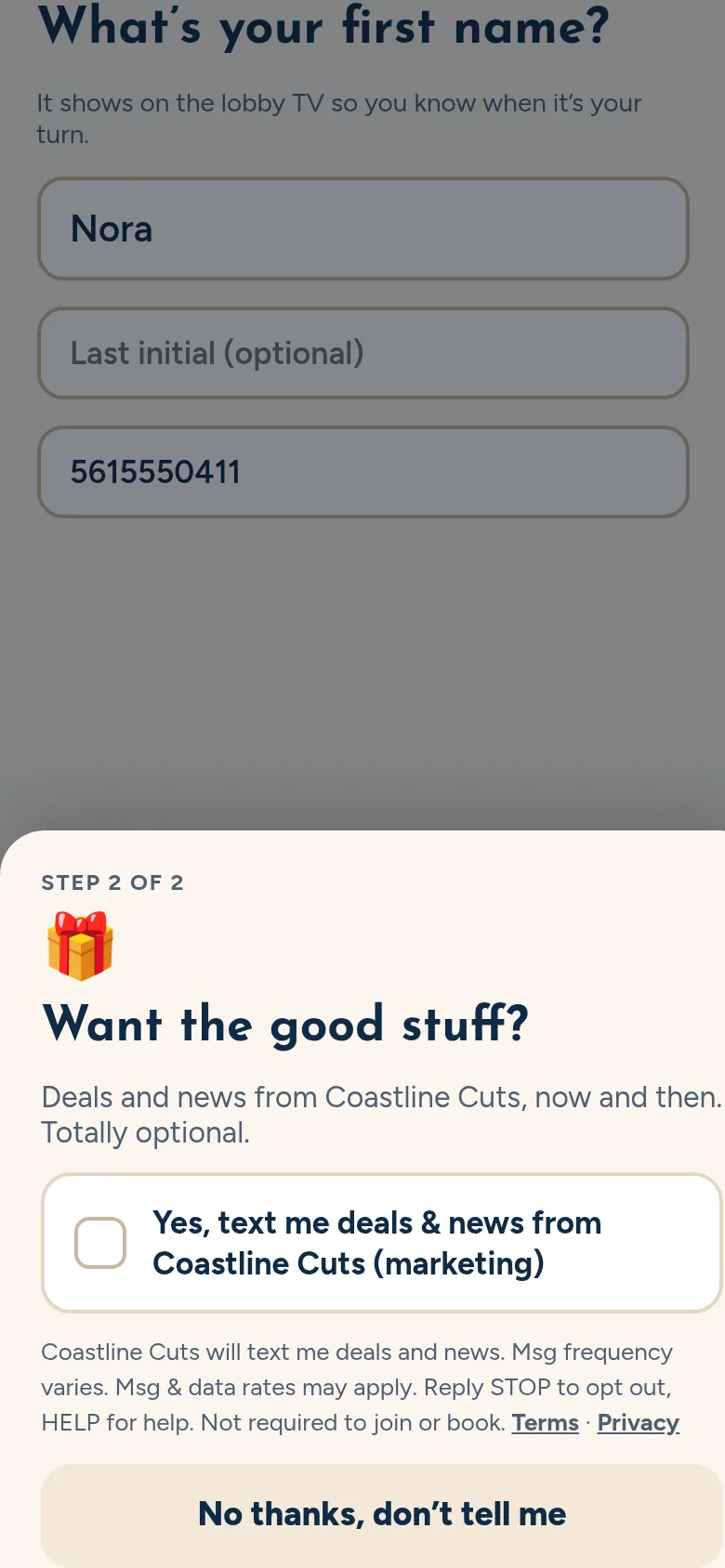
- Screen 2 of 2: promotions. A separate optional checkbox, also unchecked by default, for deals and news (marketing), with its own full disclosure and links. “No thanks” skips it.
- Check-in continues either way. Joining the line or booking works without agreeing to texts.
Kiosk
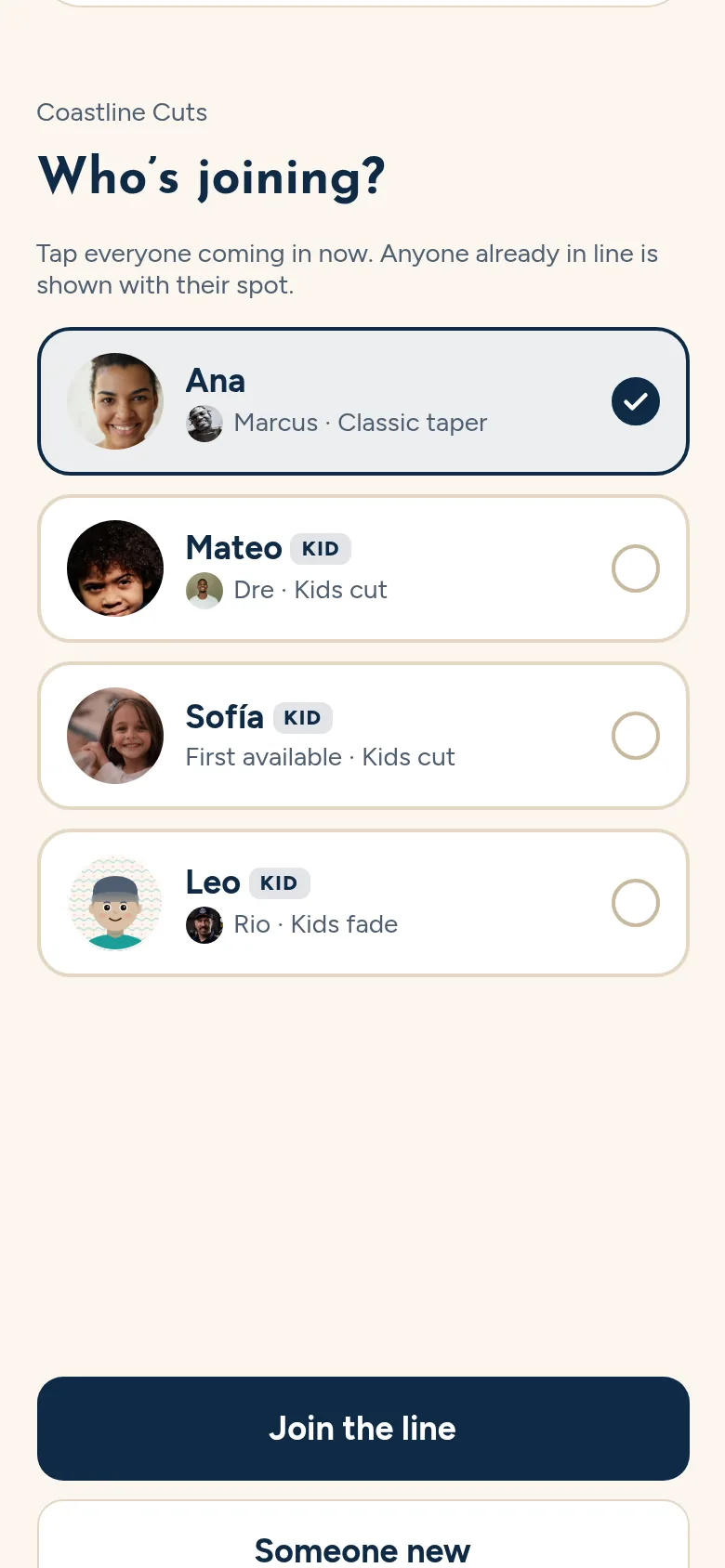
Web check-in on a phone
Sample messages
The Fly Pelican: You're #2 in line at the Peliroost demo shop, about 10 min. Reply STOP to opt out.
The Fly Pelican: You're up next! Head to the chair now. Reply STOP to opt out.
The Fly Pelican: You're booked with Marco tomorrow at 3:00 PM at the Peliroost demo shop. Reply STOP to opt out, HELP for help.
Sample shop’s promo (sent only to people who ticked the separate promotions box):
The Fly Pelican: Peliroost demo promo from Coastline Cuts: $5 off kids' cuts this Tuesday, 3-6 PM. Reply STOP to opt out.
Replies to keywords
| You text | We reply |
|---|---|
| STOP, STOPALL, UNSUBSCRIBE, CANCEL, END, QUIT | The Fly Pelican: You're unsubscribed and won't get more texts. Reply START to resubscribe. |
| HELP, INFO | The Fly Pelican: Peliroost demo texts. Questions? Call (754) 600-1059 or email hello@theflypelican.com. Msg frequency varies. Msg & data rates may apply. Reply STOP to opt out. |
| START | The Fly Pelican: You're subscribed to Peliroost demo texts about your spot in line and appointments. Msg frequency varies. Msg & data rates may apply. Reply HELP for help, STOP to opt out. |
More
Read our SMS terms and Privacy policy. Questions? Email hello@theflypelican.com or call (754) 600-1059.